CNC Setup Sheet Application

Streamline Your CNC Setup Process

Custom Setup Sheet Application That Fuels Continuous Improvement & Provides All Necessary Setup Instructions

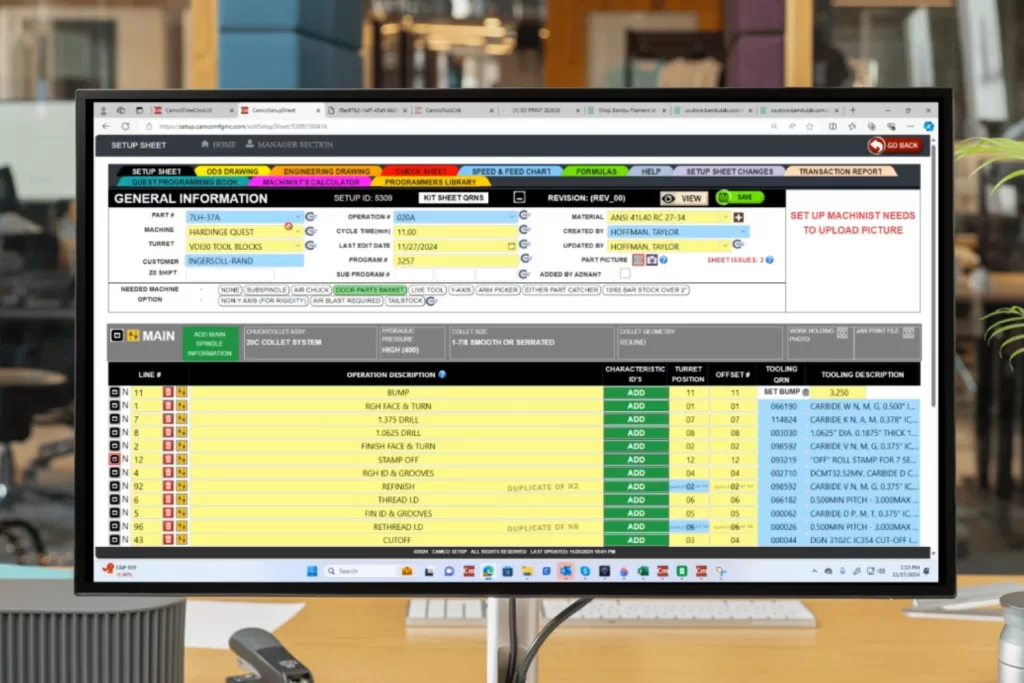
The Setup Sheet Application is a custom web app that provides all the necessary information about CNC machine setup for machinists at a single platform. This helps the machinist to speed up the CNC machine setup process, eliminate the headaches of manual methods, and manage machine shops efficiently.

CNC Setup Sheet App Demo

About the Setup Sheet Application

The Setup Sheet Application is a custom web app designed to speed up the CNC machine setup process, eliminate manual methods, and efficiently manage machine shops. The application is customized for manufacturing shop floors to set up various CNC machines, including lathes, milling machines, drills, etc.

#1. It replaces manual setup, spreadsheets, and Excel sheets with an automated setup process and digital setup sheets.
#2. Centralize all the machine shop, setup, and tooling information on a single platform and provide easy access to it.
#3. Provide detailed tooling information, tool selection, maintenance, and inventory, including images, GRNs (part numbers), and offsets.
#4. Eliminates machine downtime and production delays. It maximizes tool life and machine productivity.
#5. It provides custom reports and analytics for each job, e.g., daily, weekly, and monthly reports.
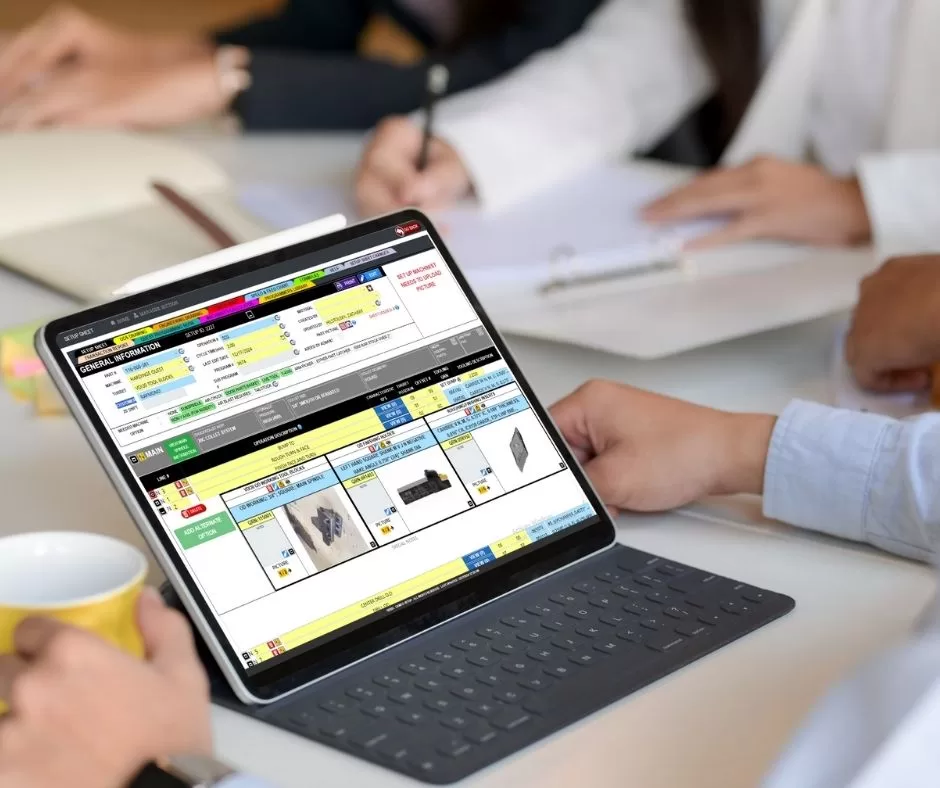
Setup Sheet App Meeting View
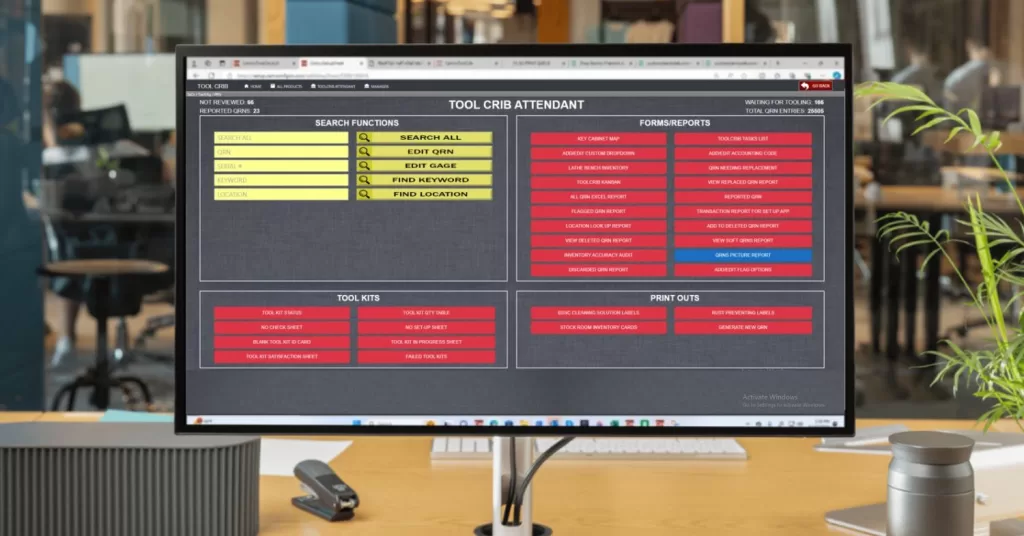
Setup Sheet App Dashboard

Setup Sheet Application Features

The Setup App provides centralized access to all data.

Job Information:
1. Part name and drawing number.
2. Material type and dimensions.
3. Machine type and model.
4. Tooling requirements (tools, speeds, feeds, etc.).
5. Workpiece clamping and fixture details.

Setup Instructions:
1. Clear and concise instructions for each step of the setup process.
2. Visual aids (sketches, diagrams) to clarify procedures.
3. Notes and comments for operators.

This Tool Crib integration with the setup app is for automatic synchronization of tooling data (e.g. tool selection, maintenance, cutting tools like end mills, drill bits, face mills, reamers, thread mills, and specialized tools) to ensure only tools available on a specific machine are selectable for setup sheets associated with that machine profile.

Tool Crib Integration (Optional)

The setup sheet app is integrated with a Tool Crib Application (Tools inventory and tooling information management app) for automatic synchronization of tooling information.

This Tool Crib integration with the setup app is for automatic synchronization of tooling data (e.g. tool selection, maintenance, cutting tools like end mills, drill bits, face mills, reamers, thread mills, and specialized tools) to ensure only tools available on a specific machine are selectable for setup sheets associated with that machine profile.

How We Create Custom Setup Sheets

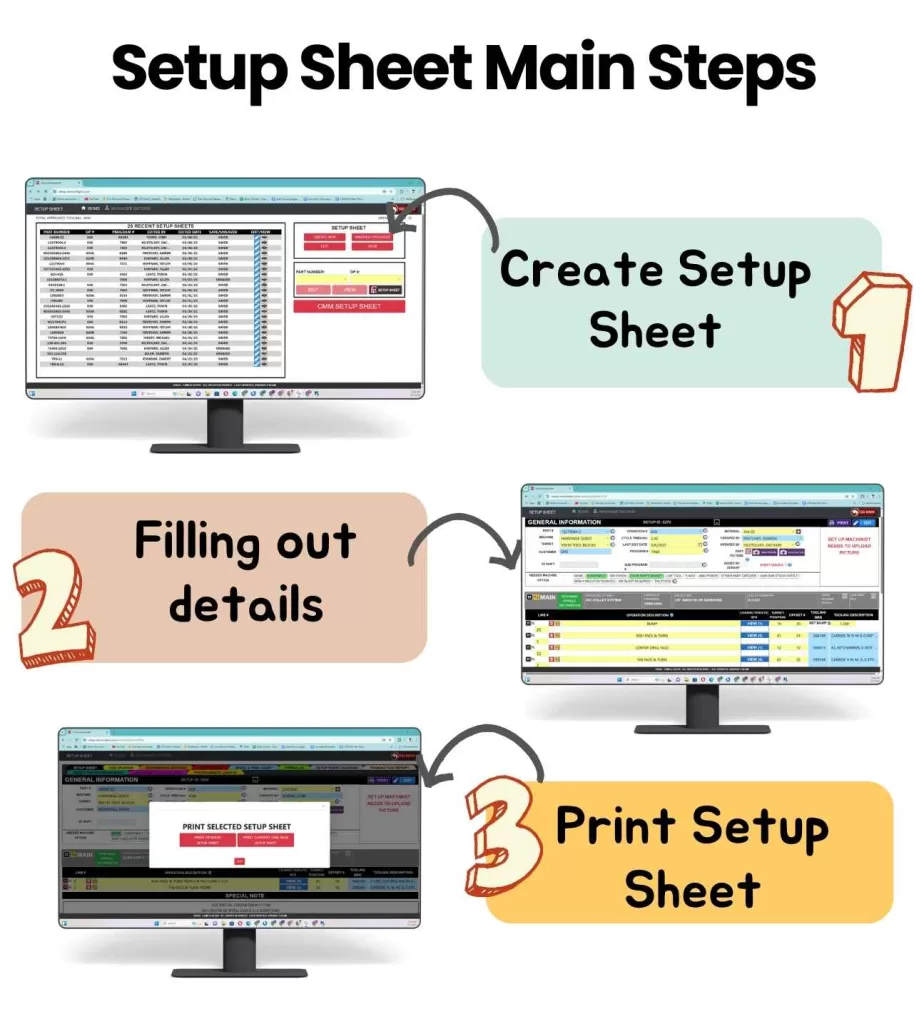
To create the setup sheet to set up a machine job, select the machine, part number, operation, material requirements, turret, cycle time, cutting parameter, etc. These setup sheets in machine shops are generated automatically, the user just needs to specify the necessary information for each job.

#1 Accessing the App: Open the Application from any device, like a computer or tablet, using the preferred internet browser.
#2 Select the Machine: Choose the specific CNC machine, such as a lathe or mill, from a list customized to your shop.
#3 Input all the data: Select the part, material, feed & speed, tooling, move stops, etc., required to set up the machine and the app pull up all the relevant data from your existing databases.
#4 Generating the Setup Sheet: Click to create a digital setup sheet that includes tools, instructions, and other critical details, often automated for accuracy.
#5 Reviewing and Customizing: Review the sheet for accuracy, make any necessary adjustments, and add special notes if needed. You can save the sheet, edit or modify and re download it.
#6 Print/Download the Setup Sheet: Now you can download the setup sheet in pdf format (it will be available as simple setup sheet with necessary information or comprehensive setup sheet with all the details and instructions).
Setup Sheet Main Steps